Notifications and audit log
Read organization lifecycle notifications, set preferences, and review administrative activity.
Parix has two organization activity surfaces with different purposes:
| Surface | Use it for |
|---|---|
| Notifications | Database lifecycle progress and outcomes that may require attention. |
| Audit log | Who performed an organization or database control-plane action, from where, and when. |
These are separate from the account-level security log.
Notification center
Open /<organization-slug>/notifications.
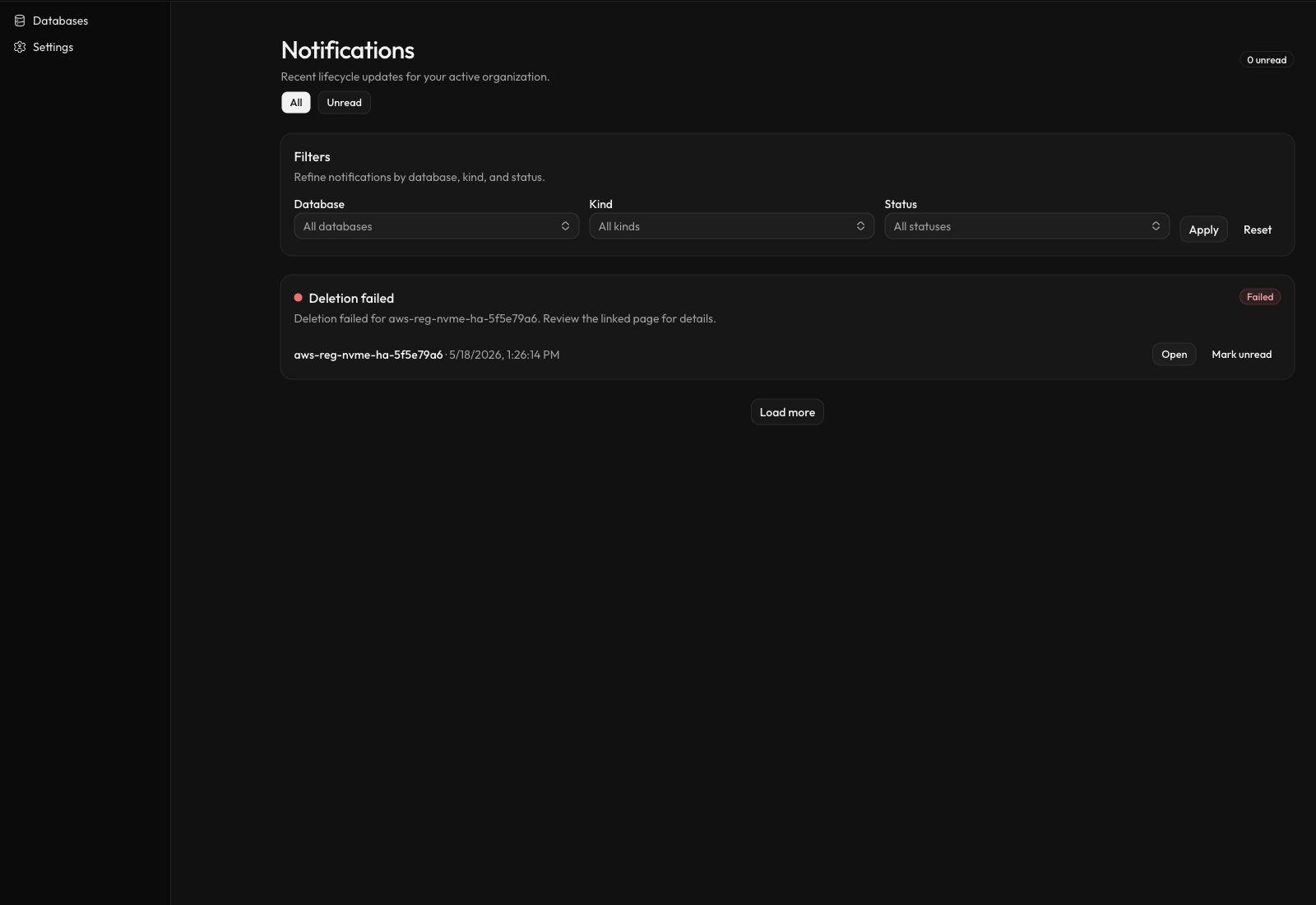
The notification center shows lifecycle events for the active organization. Current event families include database creation and deletion, provisioning, upgrades, backups, cluster and storage changes, machine restarts, and CDC changes.
Each notification contains:
- a title and short detail
- database name and relative timestamp
- severity and lifecycle status
- an Open link when a related dashboard page is available
- a per-notification Mark read or Mark unread action
Filter the feed by:
- all or unread
- database
- event kind
Queued,In progress,Completed, orFailed
Use Load more to continue from the oldest item on the page. A realtime invalidation stream refreshes the inbox after organization events arrive.
Set notification preferences
Open Settings → Notifications to choose which lifecycle categories appear in your in-app inbox. Muted categories are filtered from the rendered inbox and header unread count. Their organization events can still trigger a realtime invalidation refresh; the refreshed loader reapplies your preferences before displaying rows.
The current category controls are for in-app notifications. The separate Send email notifications switch is under Settings → Account and applies at the account level; there is no shipped per-category email control in the dashboard.
Organization audit log
Open /<organization-slug>/audit-log. Every member can view the organization audit page for their active organization.
The table shows:
- actor
- action
- IP address and location, when available
- timestamp
Current audited examples include:
- organization settings changes and deletion
- invitation sent or canceled
- member removal and leaving
- database create, provision, import, and deletion lifecycle actions
- backup, instance, storage, parameter, CDC, and TigerBeetle upgrade requests
The page currently loads the 100 most recent events and does not expose filters or export. The checked-in deployment configuration retains the underlying organization audit stream for 14 days, subject to a 50,000-row cap per organization.
Audit writes are queued. A newly initiated action may take a short time to appear, so an immediate absence is not proof that the action did not run.
Notifications are not the workflow source of truth
A notification summarizes a lifecycle transition. For active or failed database work, also inspect the page linked by Open, the database Changes tab, and the relevant backup or database status. See Database and workflow statuses.