API key security
Generate, store, scope, rotate, and revoke Parix API keys safely.
API keys are organization credentials used by applications and automation. Only an organization owner or administrator can generate, rotate, or delete them.
Always switch to the intended organization before opening Settings → API keys. The current global loader can include keys from every organization you belong to, and existing-key mutations do not independently verify that the selected row belongs to the active organization. Treat this as a product limitation: identify the key by its unique name, masked prefix, and database scope before acting. If a row is ambiguous, do not rotate or delete it.
Generate a least-privilege key
Open Settings → API keys → Generate key.
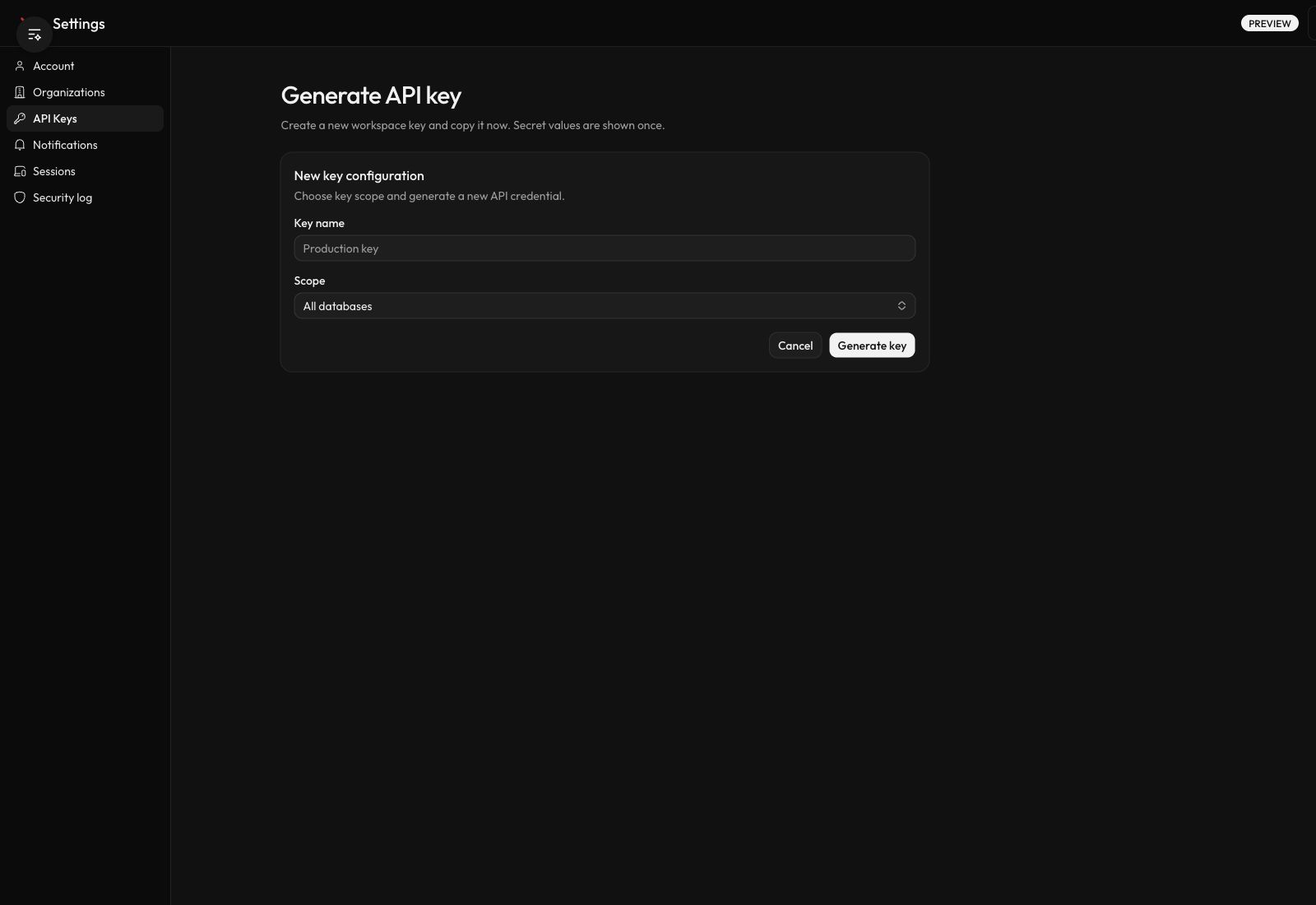
- Give the key a name that identifies its application and environment, such as
ledger-worker-production. Names must be 2–40 characters. - Select Specific database whenever the caller needs only one database.
- Use All databases only for organization-level automation that must list, create, or operate across databases.
- Select Generate key.
- Copy the
px_...value immediately and store it in a secret manager.
The full secret is shown once. The API key list retains only identifying and masked information; it cannot reveal the secret again.
Understand the current scope model
| Setting | Grants |
|---|---|
| Specific database | Access limited to the selected database. This is the narrowest shipped key boundary. |
| All databases | Organization-wide database access, including operations that require organization scope. |
Generated keys currently receive both db:read and db:write. The generator does not expose read-only, expiry-date, custom-operation, or IP-allowlist controls.
Because a database-scoped key can still perform writes on its database, isolate credentials by application and environment. Do not share one production key across unrelated services.
Store and use the secret
Keep the full value in a server-side secret manager or deployment secret. Do not place it in source control, client-side JavaScript, screenshots, tickets, shell history, or application logs.
Send it with one of the supported headers:
x-api-key: px_...Authorization: Bearer px_...Prefer x-api-key when the caller is specifically using an API key. For endpoint and scope requirements, see API and OpenAPI.
Review keys
The API key table shows name, masked key prefix, enabled status, database scope, creation time, last-used time, and lifecycle actions.
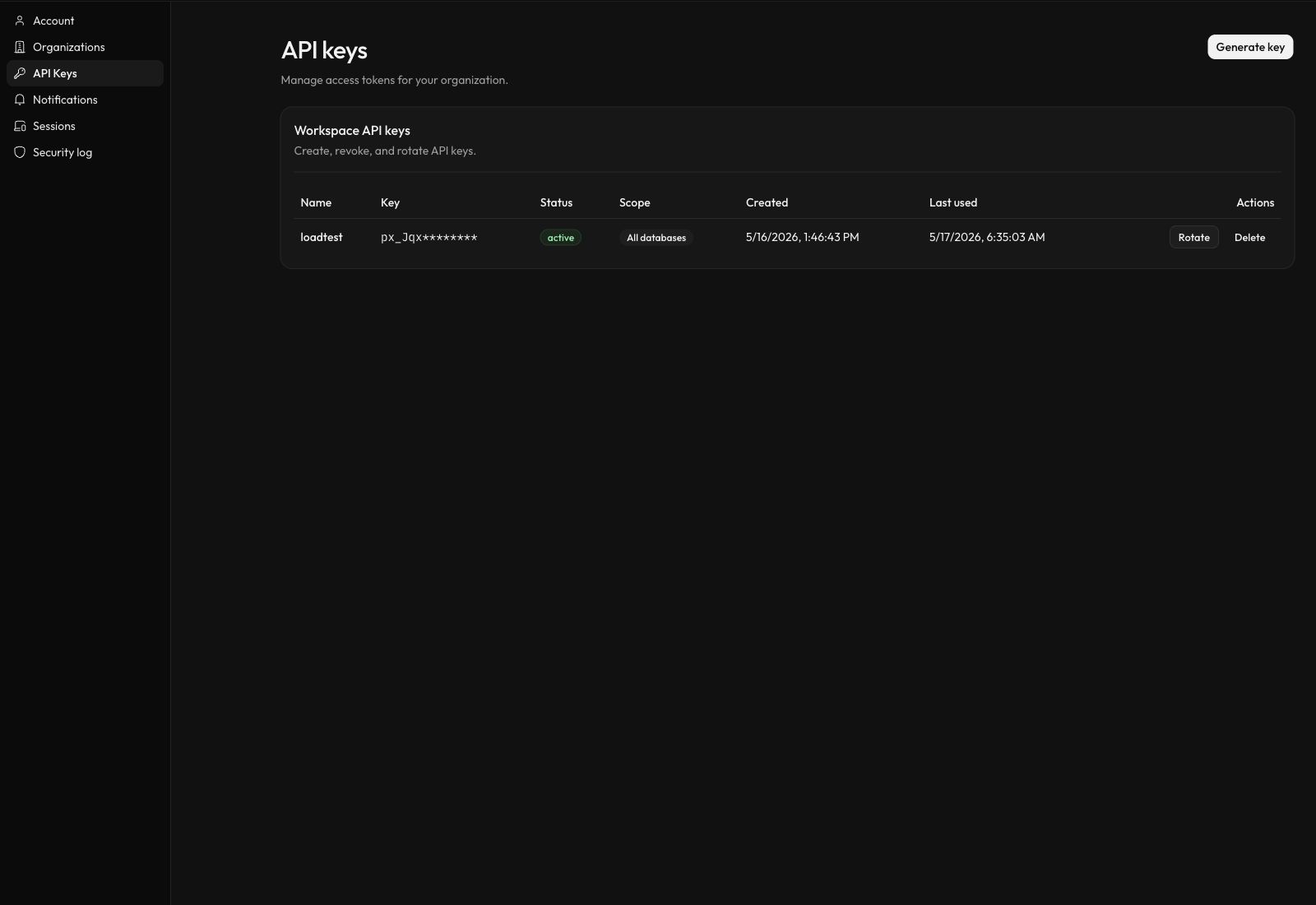
Review last-used timestamps regularly. The account security log records authentication/session activity, and the organization audit log records selected control-plane actions; neither currently records API-key requests or normal key create/rotate/delete actions. Investigate unexpected use with the key's last-used time and sanitized caller/API logs.
Once an organization has a current database plan, the seeded entitlement allows 50 enabled API keys. For an organization with databases on multiple plans, the API key service applies the strictest non-null plan limit. An organization with no current non-deleted database has no plan-derived quota, so the current service skips this check until a database plan exists.
Rotate a key
The Rotate action attempts an immediate replacement:
- Parix disables the old key.
- It creates a new key with the previous name, organization/database metadata, and permissions.
- It shows the new secret once.
Copy the new value before closing the dialog. Rotation can interrupt a caller because the old key is disabled before the replacement is deployed. The disable step happens before quota validation and new-key creation; if a later step fails, the old key can remain disabled without a replacement. Prefer the controlled cutover below when quota permits.
For a controlled cutover, and when quota permits:
- Generate a second key with the same database scope.
- Deploy the second key to the caller.
- Verify a read and, if required, an idempotent write.
- Delete the original key.
Revoke or respond to exposure
Select Delete to revoke a key you no longer need. Parix deletes the authentication key and marks its quota binding disabled.
If a full secret may have been exposed:
- Rotate or delete it immediately.
- Replace the credential in every caller.
- Review the key's last-used time and sanitized caller/API logs that do not contain the secret itself.
- Review account and organization audit surfaces for related sign-in or control-plane activity, while recognizing that they do not log the API-key lifecycle itself.
- Create separate keys if the incident revealed that multiple callers shared one credential.
Deletion and rotation do not update your application configuration automatically.